Share the pet, not your account
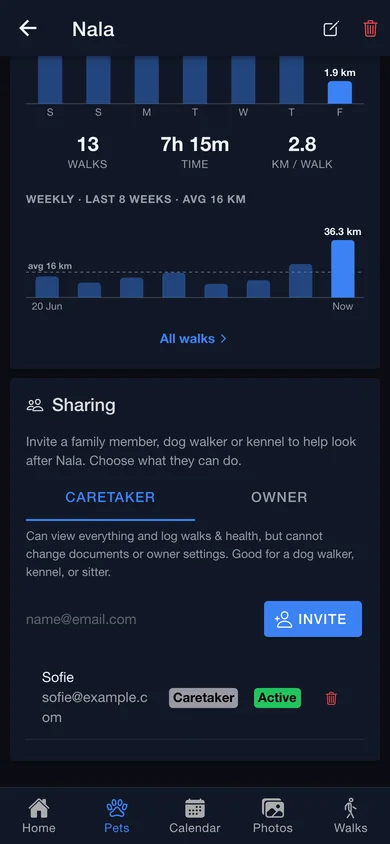
Invite a partner, a dog walker or a kennel by email as a co-owner or a caretaker. A sitter’s doses land in your log; the low-stock alert still goes to whoever has to reorder.
Dogs & cats · iPhone, Android & web
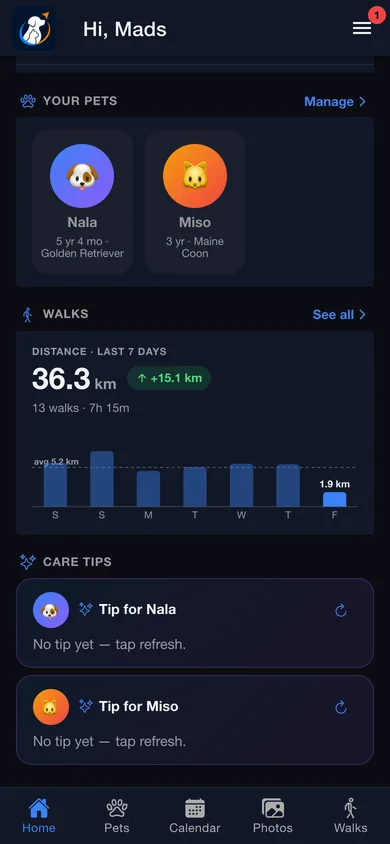
Walks, health, medication, photos, paperwork and what it all costs — for every animal in the house, in one place. PetPilot records the walk while your phone is in your pocket and turns a forwarded vet bill into a filed document, so the record is largely written before you touch it.
Auto-tracking
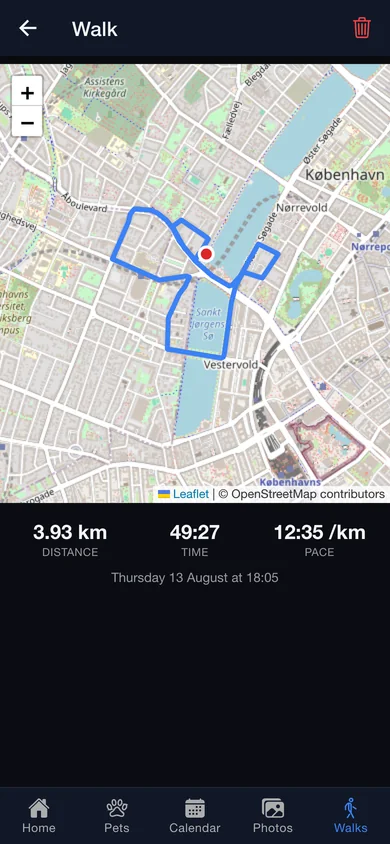
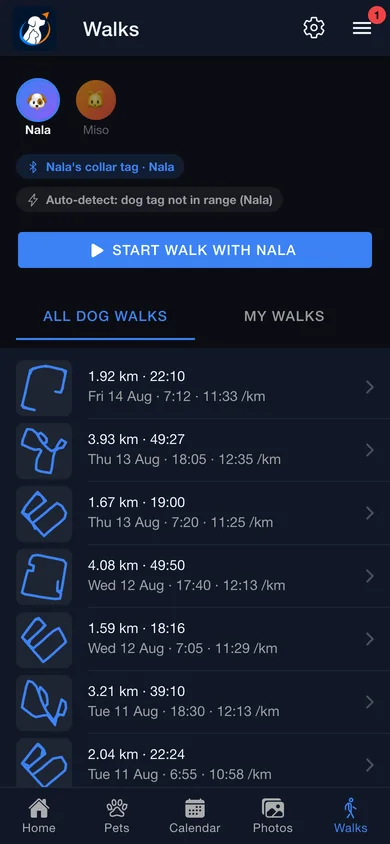
Clip a Bluetooth tag on the collar and walk out of the door. PetPilot notices a couple of minutes in, draws the route, and saves the walk when you get home. Phone locked. App closed.
Four things have to be true at once.
Walks
Every walk gets a map, a distance, a time and a pace — and a history that adds up to something. Bad GPS is cleaned up before it can inflate a kilometre, so the numbers are ones you can trust.
Health
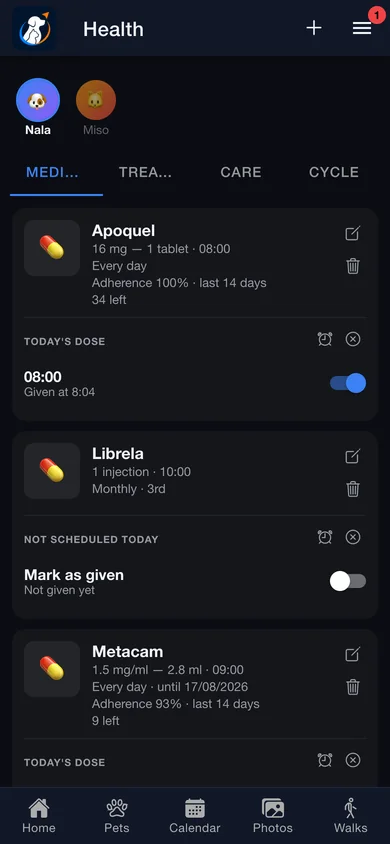
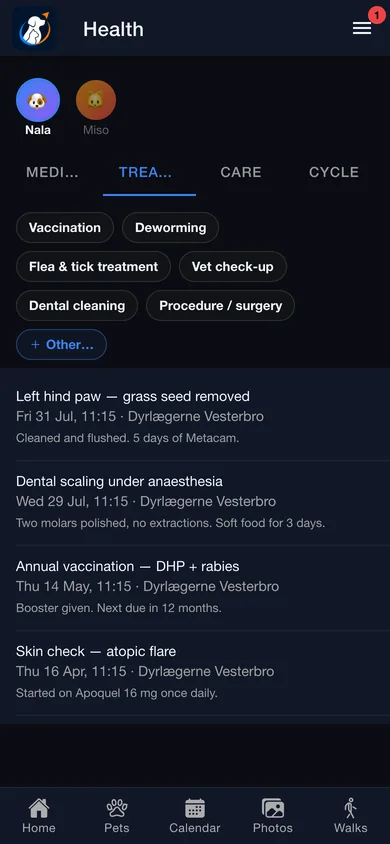
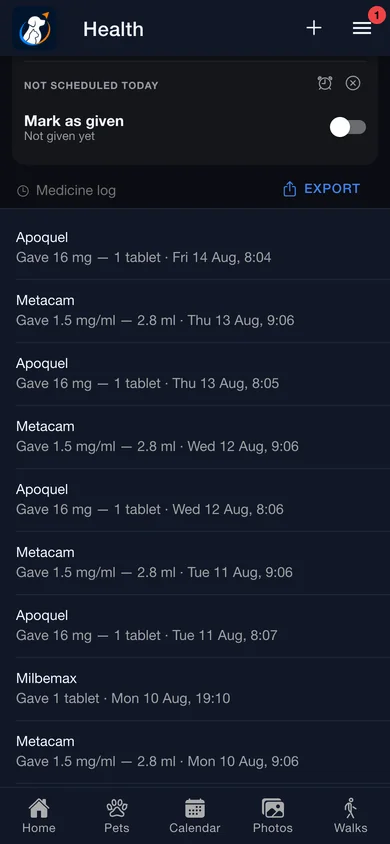
Medicine, treatments, routine care and — for female pets — the cycle, per pet, behind four tabs. Log a vaccination with the clinic that gave it, a nail trim in a single tap, or a heat date the app then counts days from.
Medication log
Daily, chosen weekdays, a day of the month, every 2, 3, 6 or 12 months, or purely as-needed. Every scheduled time gets its own toggle — and un-toggling one deletes that dose and refunds the units to your remaining stock.
PetVision
PetPilot sweeps your camera roll a thousand photos at a time, newest first, with matches appearing live as they’re found. The machine-learning models already on your phone do the heavy lifting, matching against your pet’s own profile photo.
Expenses & inbox
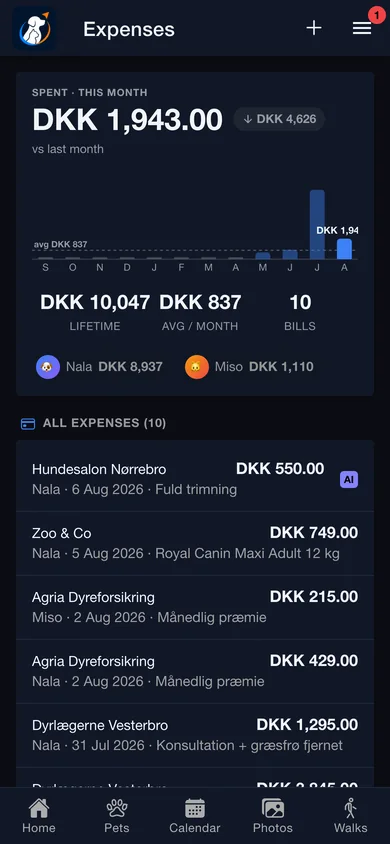
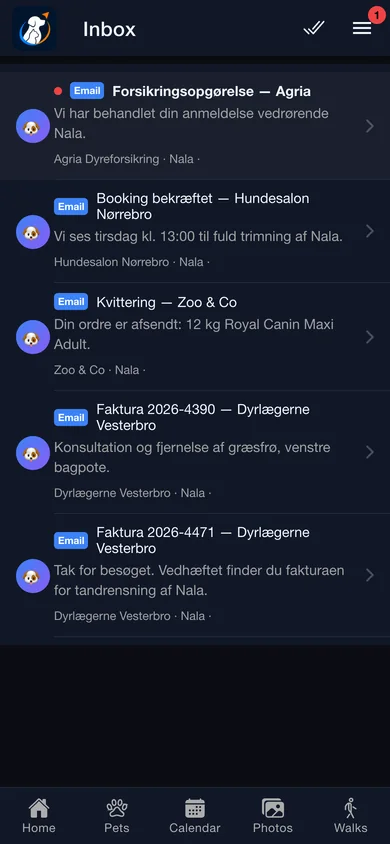
Every account gets its own PetPilot email address. Send a bill to it and the vendor, total, currency and date come back out — filed as a document on the pet and a row in Expenses, with a twelve-month chart on top.
Documents
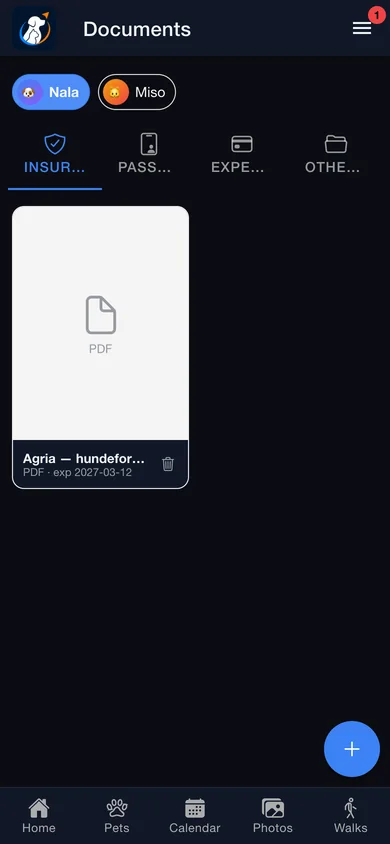
Insurance, passport, invoices and everything else, per pet, behind the phone’s own biometric lock. The real document scanner does edge detection, multi-page capture and deskew; uploaded PDFs land in the same pinch-zoom viewer.
And the rest of the day
Sharing, border paperwork, appointments and the nearest open clinic.
Invite a partner, a dog walker or a kennel by email as a co-owner or a caretaker. A sitter’s doses land in your log; the low-stock alert still goes to whoever has to reorder.
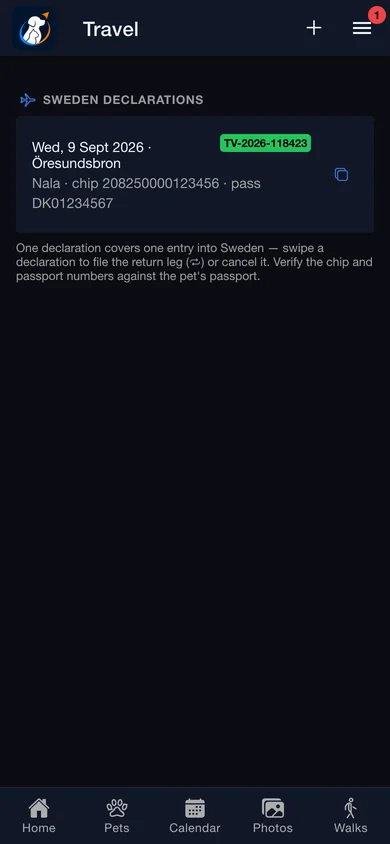
Sweden wants a declaration every time a dog or cat crosses the border. Pick the pets, the date and the crossing, answer Tullverket’s one control question, and get the official number back — readable offline at the barrier.
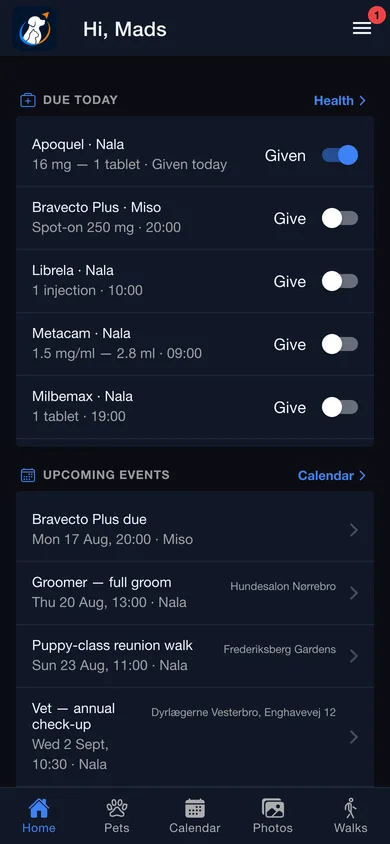
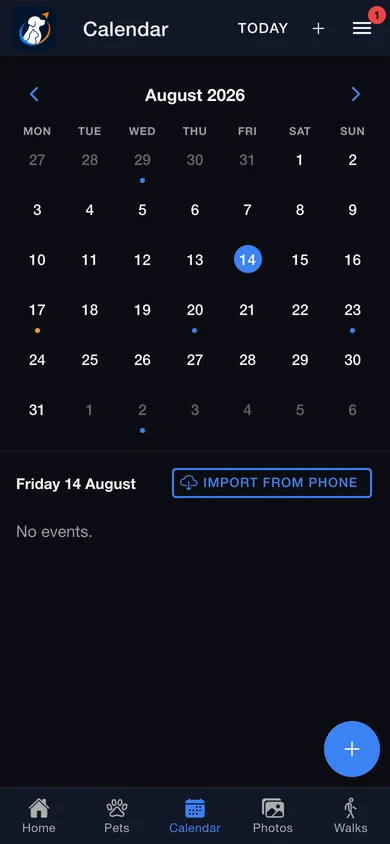
A month grid with a dot per pet — blue for dogs, amber for cats — and reminders that fire as real phone notifications from “at the time” out to two days before.
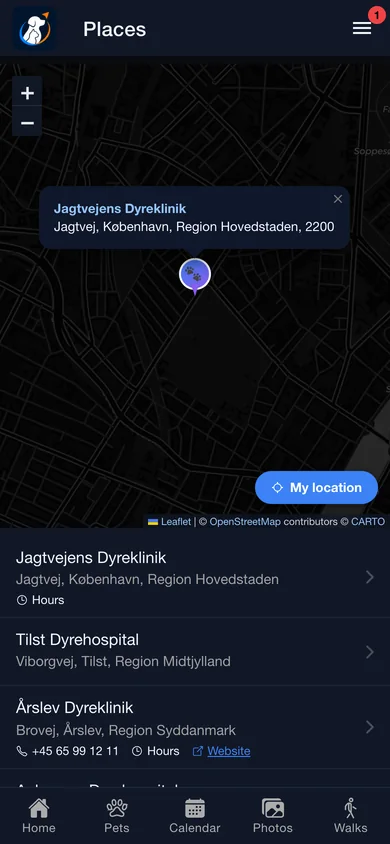
A map of Danish vet clinics with address, phone, opening hours, website and the distance in kilometres. Tap through to call or navigate.
How it works
Name, species, breed, birthday, microchip and EU passport number, plus a photo you crop in the app. Two minutes, once.
Pair a Bluetooth tag from Walk settings and drop a trusted place on your address. That pairing is what wakes walk detection — and what keeps GPS off while you are home.
Walks arrive on their own. Forwarded vet bills become expenses and filed documents. Doses tick off from the notification. You show up for the parts that need a human.
Privacy
Most pet apps say “your data is safe”. Here is the actual split — the line matters most for the one feature that touches your camera roll.
Details
How reliably each medicine actually got given over the last fortnight — worked out fairly, so a quarterly injection isn’t judged like a twice-daily tablet.
Dose reminders carry “Mark given” and “Snooze 15 min” on the notification itself.
Scan the barcode on a box you’ve used before and the whole schedule pre-fills. Photograph the packaging and it reads the brand name straight off it.
Walking directions to where the walk began, with a dashed guide line and turn instructions on the live map.
No signal, no problem. The walk waits on your phone and uploads itself the moment you’re back — once, never twice.
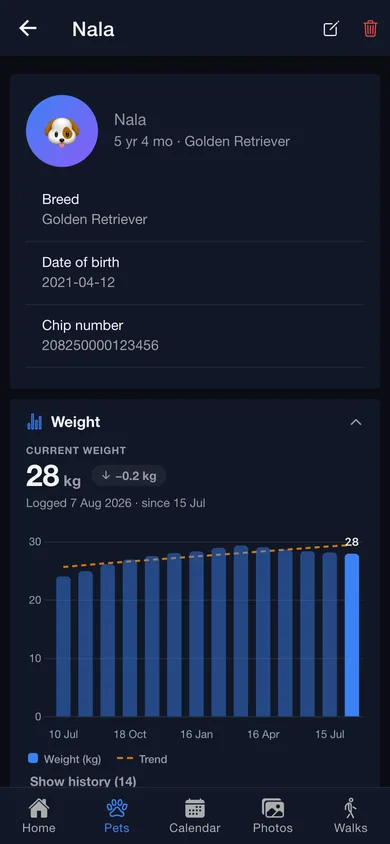
A clean chart of every weigh-in with the trend line through it, and how much they’ve gained or lost since the last one.
A permanent inbox address you can forward or CC bills, booking confirmations and clinic mail to.
Face ID, Touch ID or your passcode over the whole app — and it never kills a walk recording that’s in progress.
One short, pet-specific tip a week, rotated across a dozen topics and archived to your inbox.
The same account on iPhone, Android and app.petpilot.io. Same screens, same data, no “web version” compromises.
The whole dose history exports as a spreadsheet — every date, time, medicine, dose and whether it was given — straight to the share sheet.
The app knows the difference: a cycle log for female pets, the right care presets, and cats given their own colour throughout.
FAQ
No. The matching happens on your phone, against your pet’s profile photo, using the machine-learning models your phone already has. Nothing is uploaded unless you explicitly turn on the cloud double-check, which sends only a handful of borderline shots for a second opinion. With it off, no photo ever leaves the device — and you can switch it back off from the album at any time.
Yes. The tag is a hard requirement: if it isn’t in range, no walk is auto-recorded, ever. That’s deliberate — it’s what keeps GPS off while you’re at home and stops the app inventing walks you didn’t take. For detection with the app fully closed, the tag also needs to broadcast an iBeacon UUID, which you enter in Walk settings.
On iPhone and Android, yes — provided the tag is one that broadcasts a beacon signal (you enter its ID once in Walk settings). Detection runs down at the operating-system level rather than inside the app, so a locked screen, a closed app, or even the phone reclaiming memory won’t stop a walk mid-way. With a tag that doesn’t broadcast, detection is only reliable while the app is open. In a browser it runs only while the tab is open.
A caretaker sees the profile, weights, walks, medications and dose history, the treatment and care logs, and documents — and can log walks, doses and health events for you. They cannot change documents, the tag, or any owner setting, and they don’t get the pet’s photo album or your calendar. Co-owners get full parity with you, except that only the pet’s creator can delete it.
Sweden only. PetPilot files the Tullverket customs declaration required every time you bring a dog or cat across the Swedish border, and gives you back the official declaration number — which stays readable offline at the crossing. No other country’s paperwork is in the app today.
Denmark. The clinic list was imported from OpenStreetMap, sorted nearest-first with address, phone, opening hours and website. Outside Denmark you’ll see “No clinics nearby”.
Every one of them is signed out immediately — including any device where biometric sign-in was enabled — while the device you changed it on stays signed in. Biometric sign-in counts as the password, so it can’t outlive the password it was set up for.
Yes. The medication and dose log exports as a spreadsheet straight from the Health screen, and anything you’ve added — pets, walks, weights, documents, expenses — you can edit or delete yourself at any time. For a full export of everything at once, or to have the account and its files deleted outright, mail hello@petpilot.io.

Everything else builds up from there. One account across iPhone, Android and any browser — and the App Store and Play Store builds are on their way.